

Created
:2025.04.16

Myforex has a passkey login function that allows you to register a passkey and use it to log in. When logging in, you can skip entering your email address and password and log in by entering your passkey.
Please refer to the instructions below for passkey registration and setup.
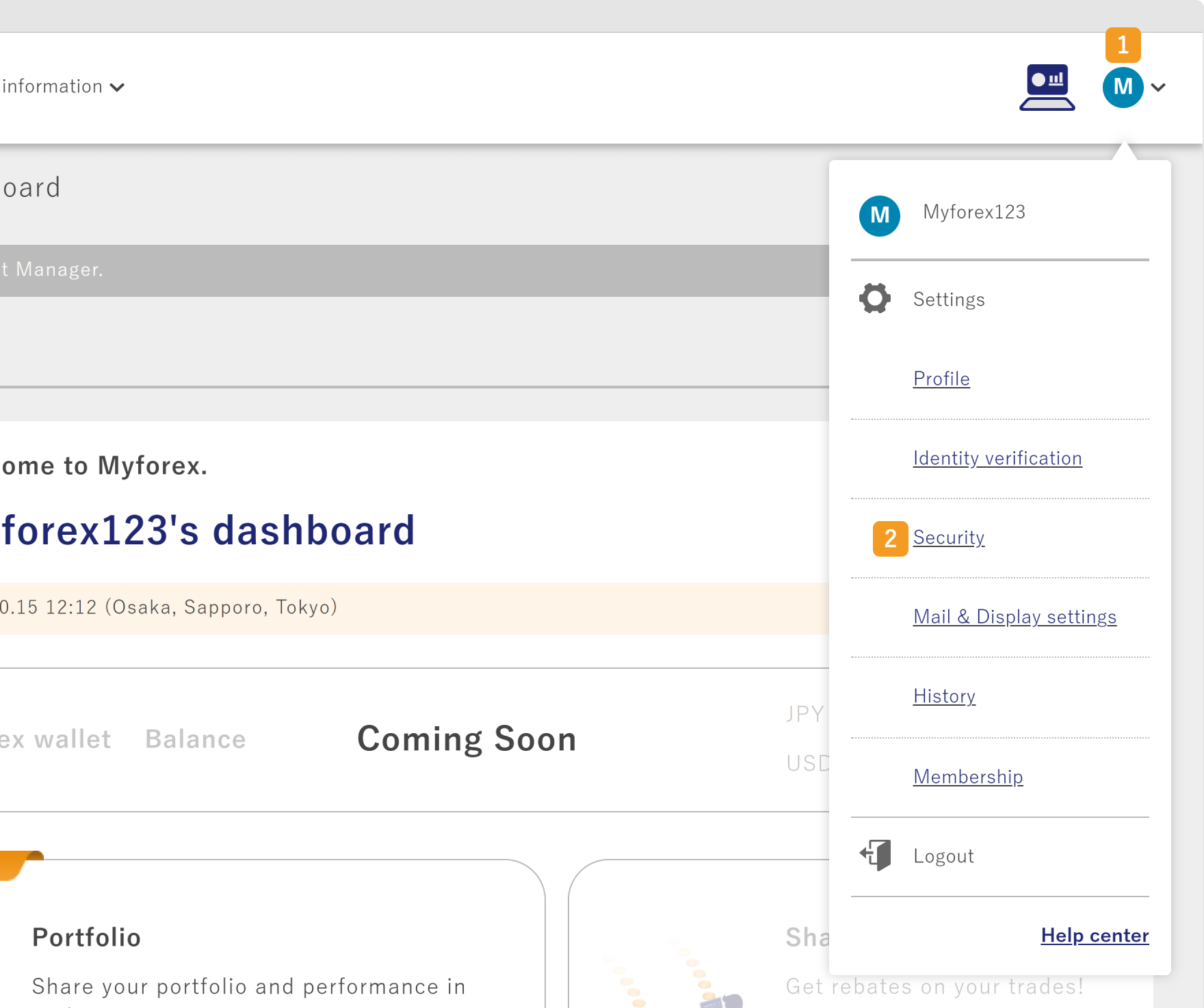
After logging in to Client Manager, click (1) your icon > (2) Security in the top right corner.
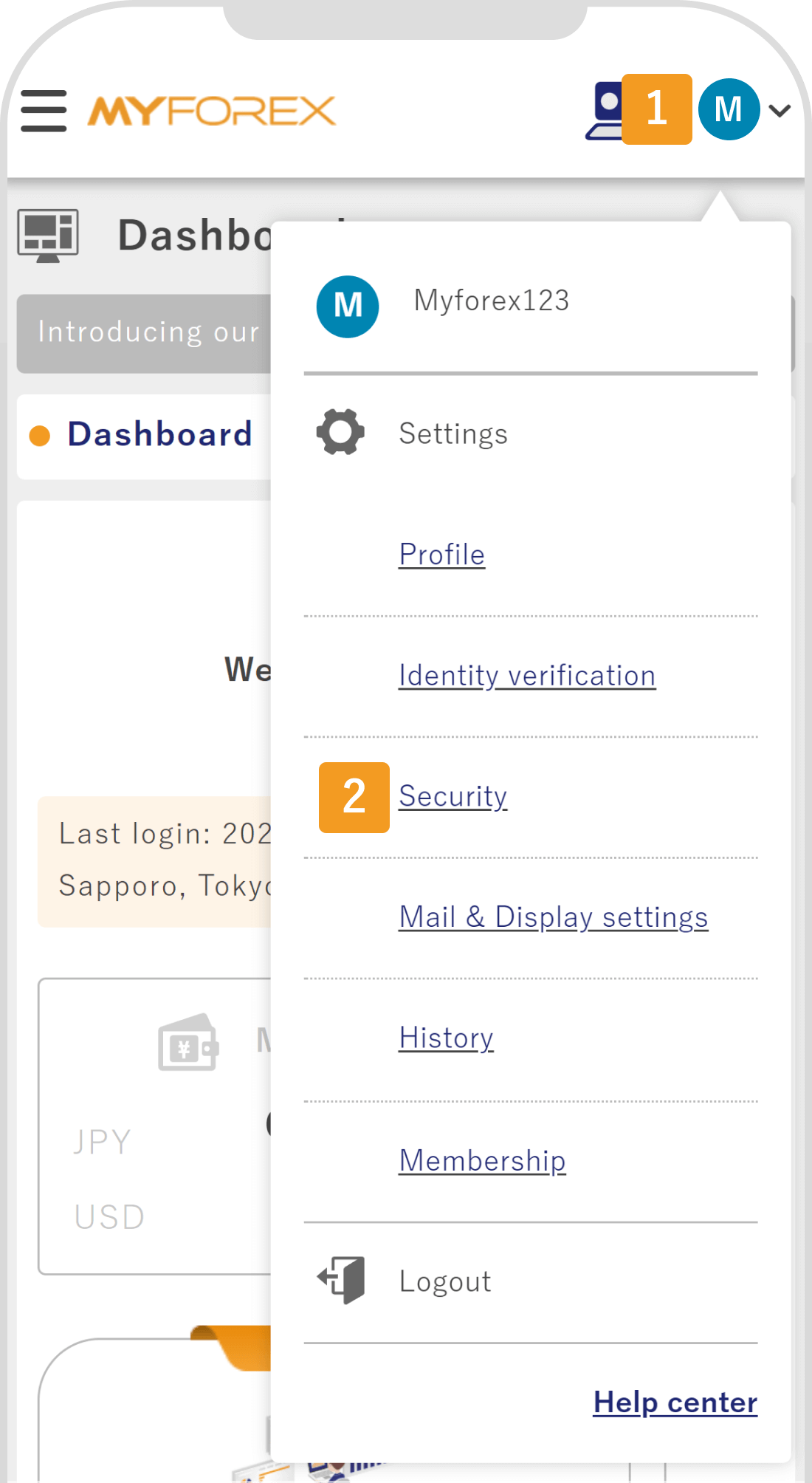
After logging in to Client Manager, tap (1) your icon > (2) Security in the top right corner.
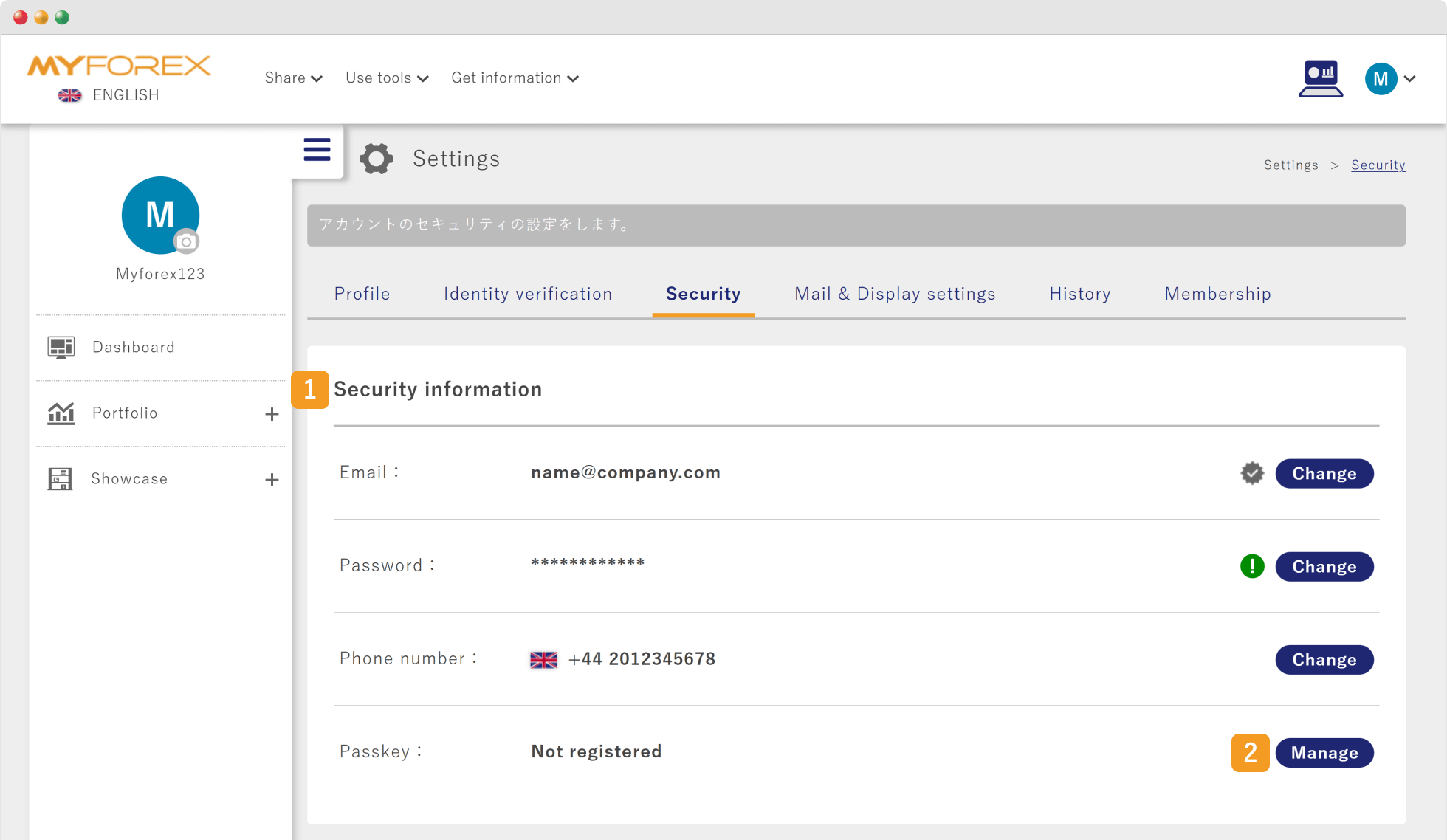
Go to (1) Security information> click (2) "Manage" button to the right of Passkey.
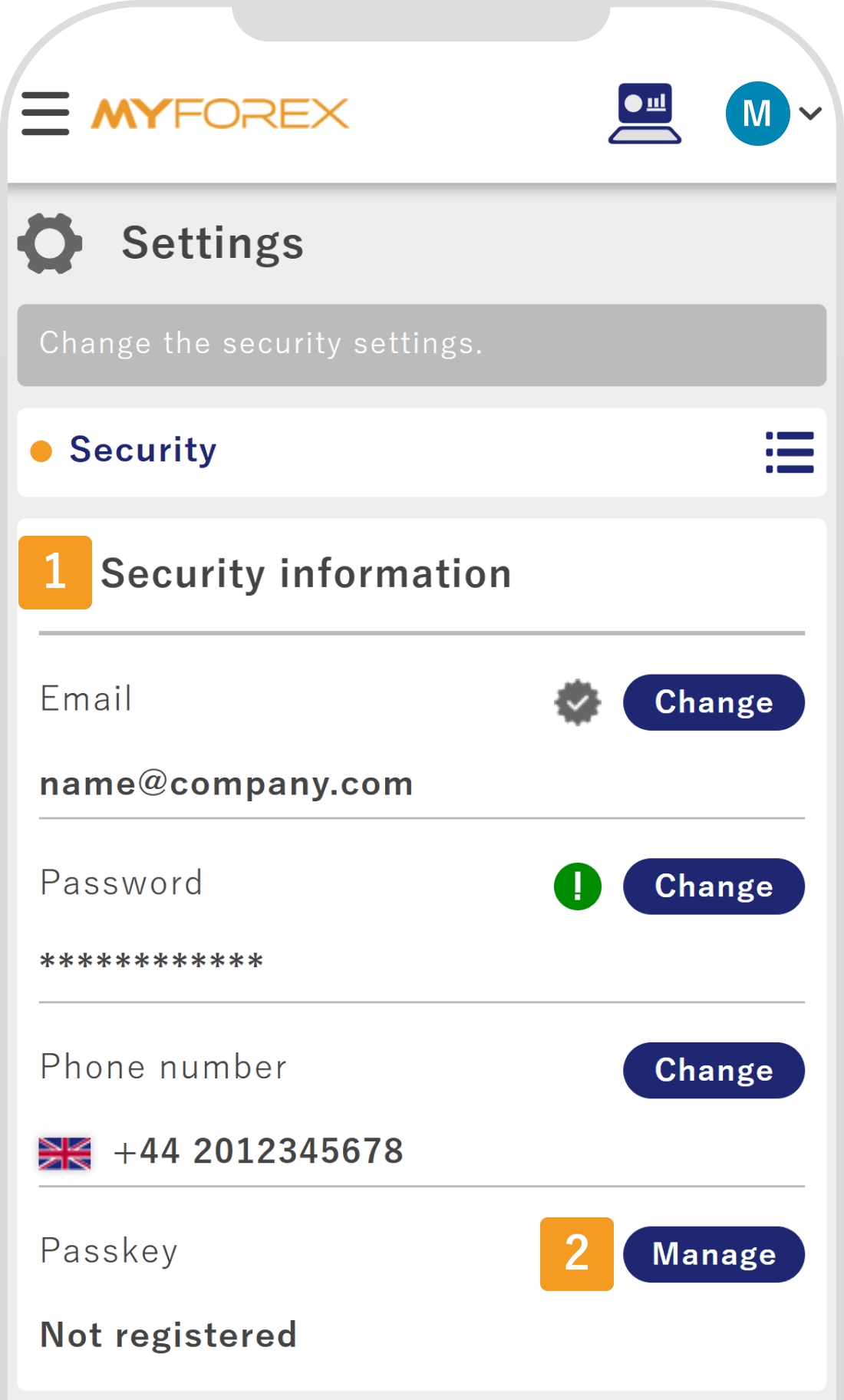
Go to (1) Security information> tap (2) "Manage" button to the right of Passkey.
In the passkey list, click "Create Passkey" and save it.
In the passkey list, tap "Create Passkey" and save it.
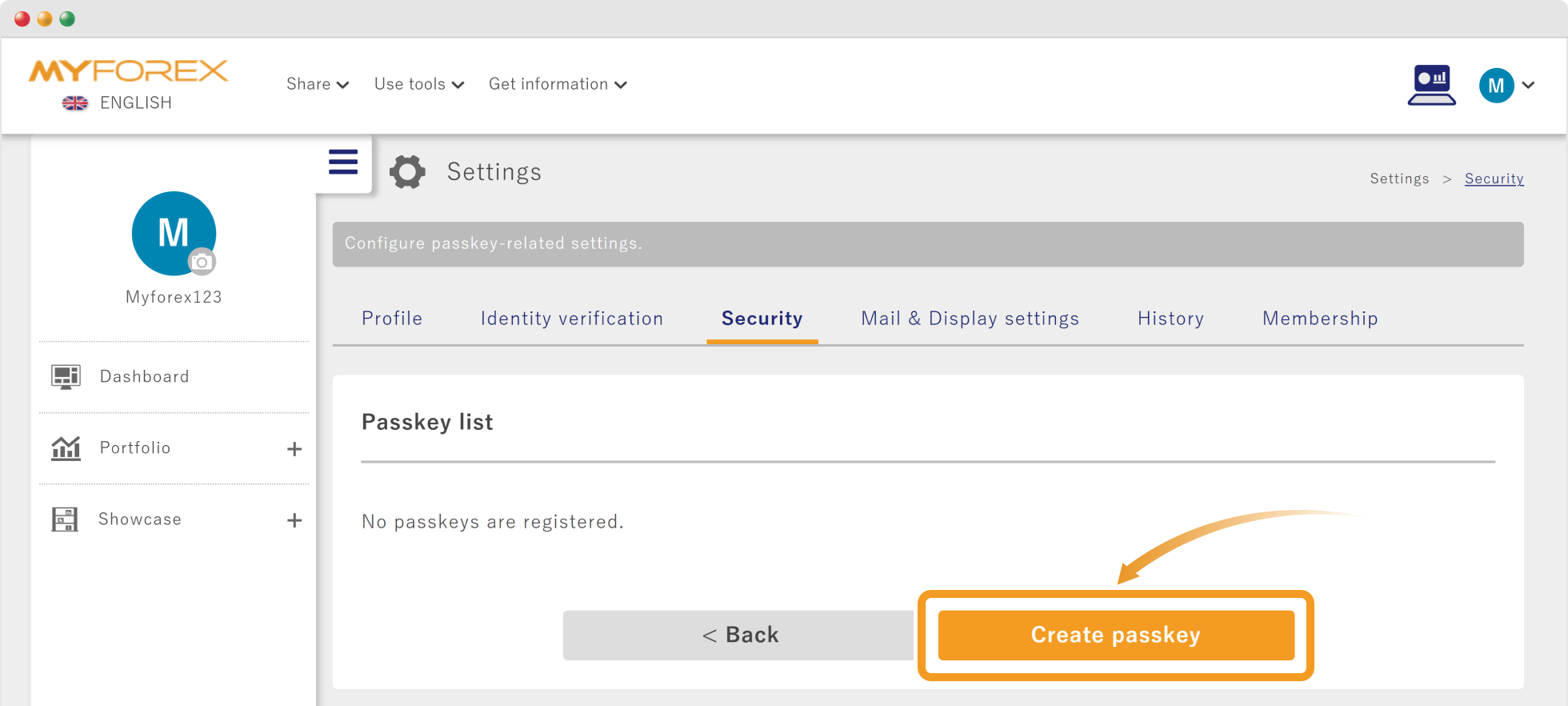
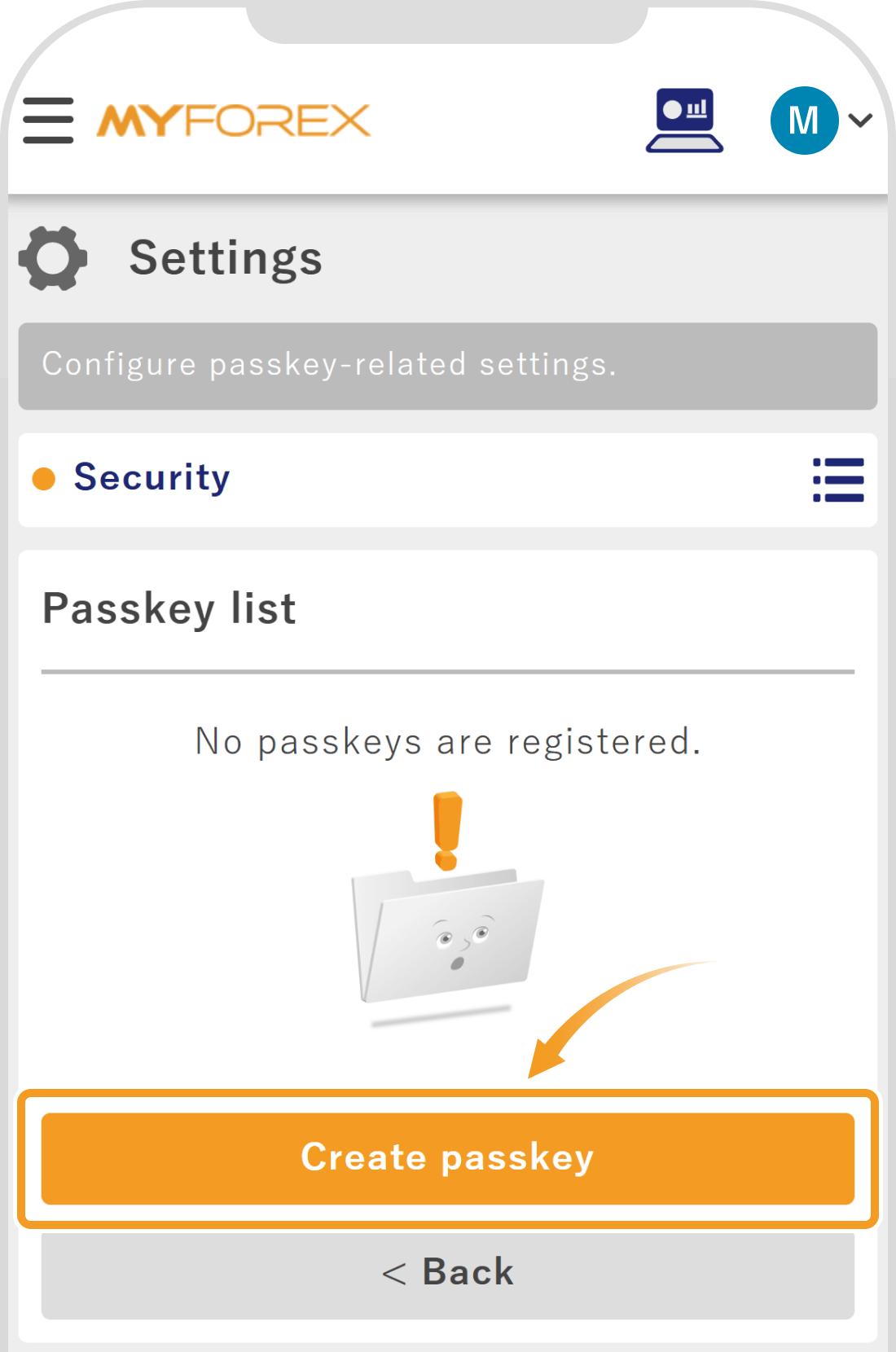
 Key Point
The method of saving the passkey may vary depending on the device you are using. You can register it using biometric authentication (fingerprint, facial recognition) or screen lock authentication (password, pattern, etc.) set on your device. Please check the passkey settings and usage instructions for each device before registering the passkey.
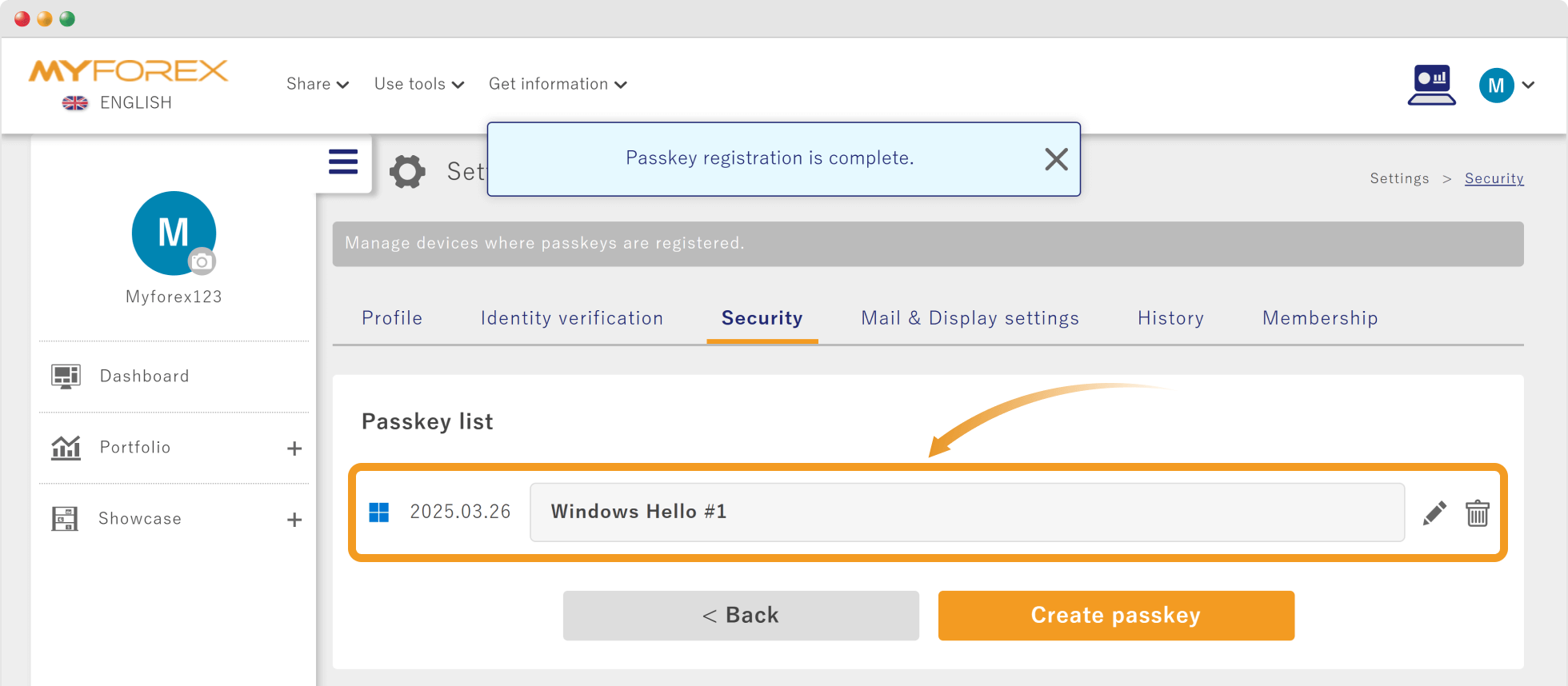
Once the passkey registration is successfully completed, a message saying "Passkey registration is complete" will appear at the top of the screen. If the registered passkey is displayed in the passkey list, the process is complete.

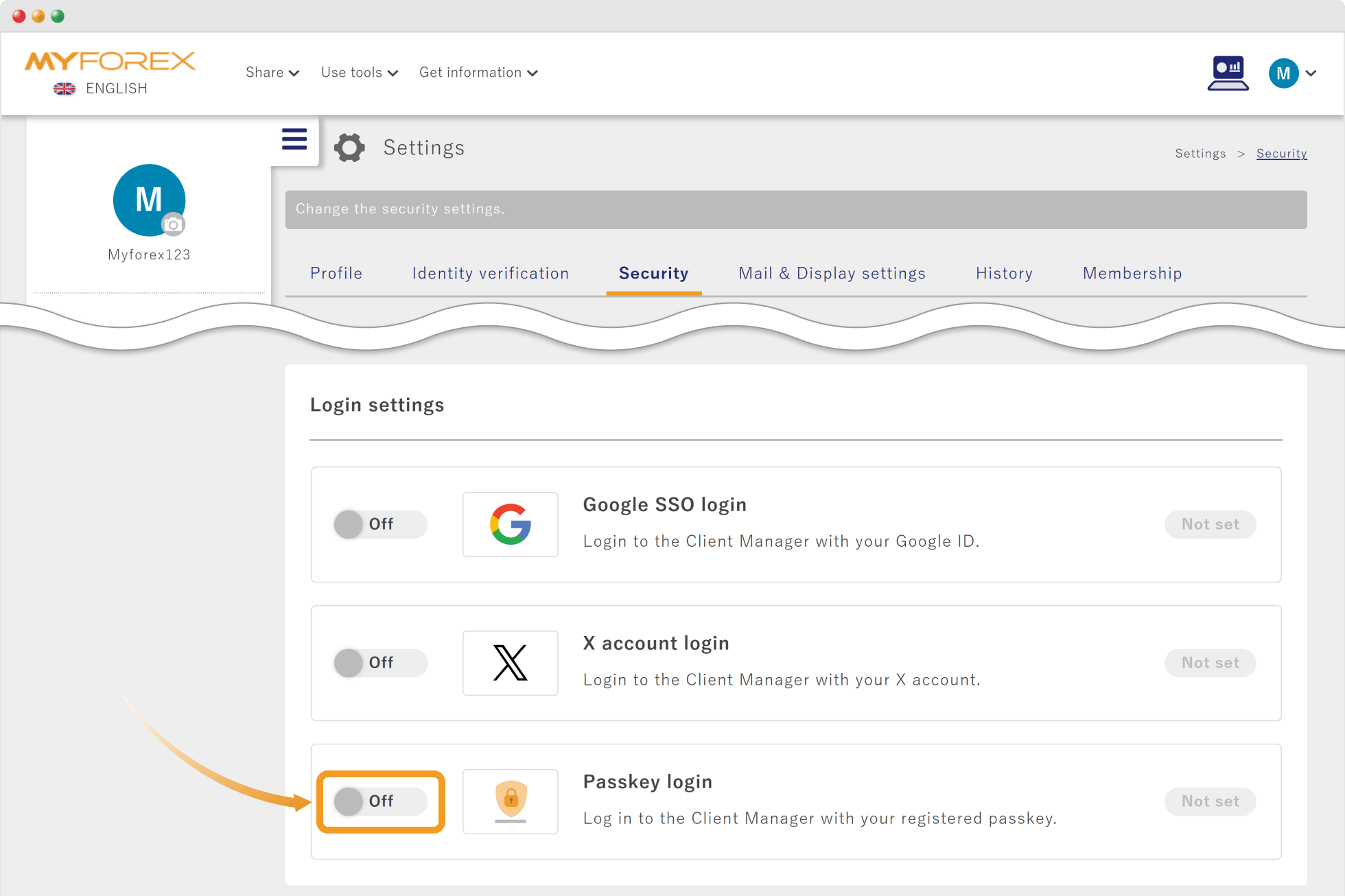
On the security settings screen, go to login settings and click the link button to the left of "Passkey login" to toggle it from OFF to ON.
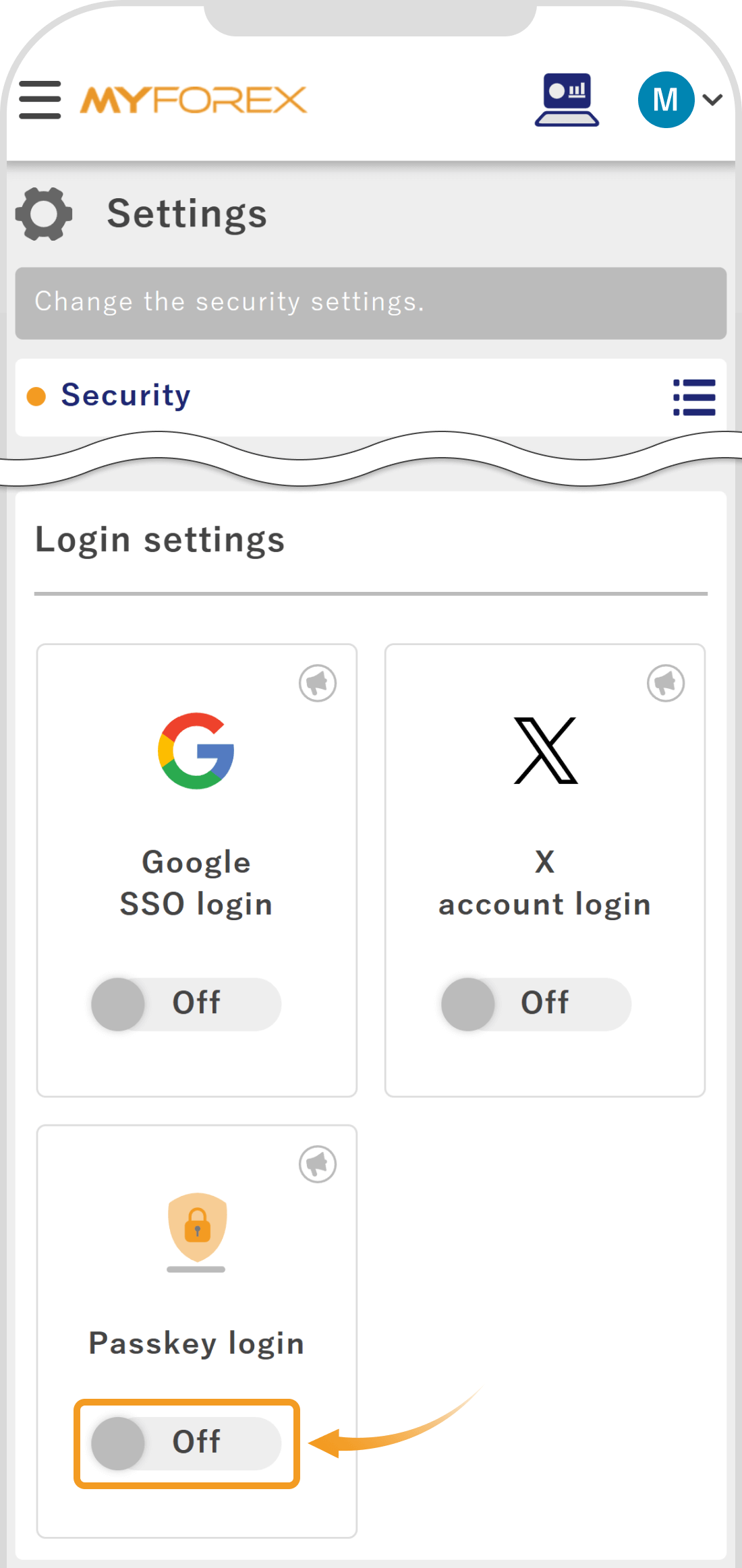
On the security settings screen, go to login settings and tap the link button of "Passkey login" to toggle it from OFF to ON.
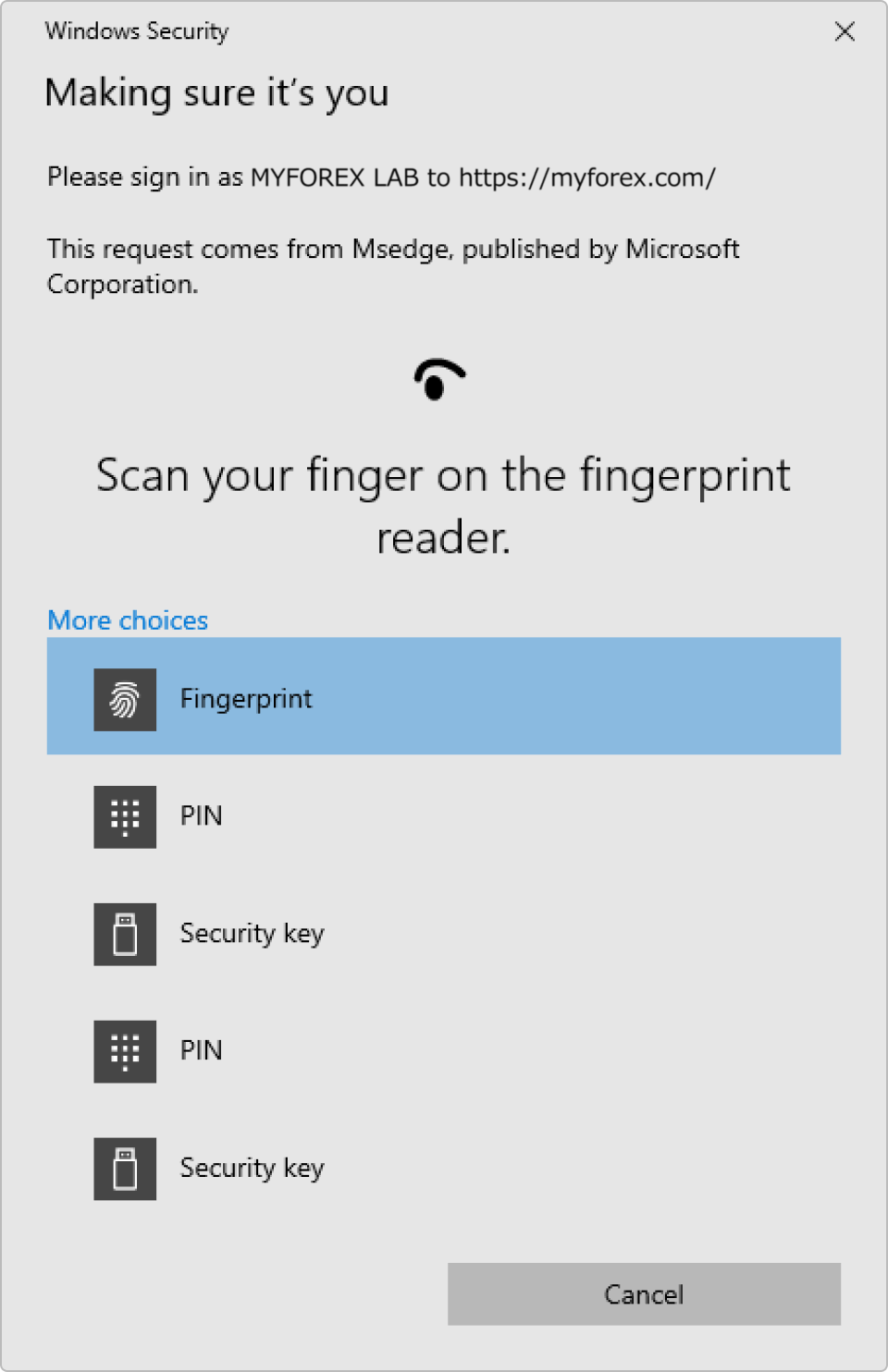
The passkey authentication screen for your device will appear. Follow the instructions to choose and authenticate using fingerprint, PIN, facial recognition, or another method.

 Notice
If you encounter issues with the setup or login, please check whether your device's OS and browser version support passkeys and update to the latest version if necessary. Additionally, if you are using iOS, biometric authentication (fingerprint or facial recognition) must be set up in advance. It cannot be used with only a passcode.
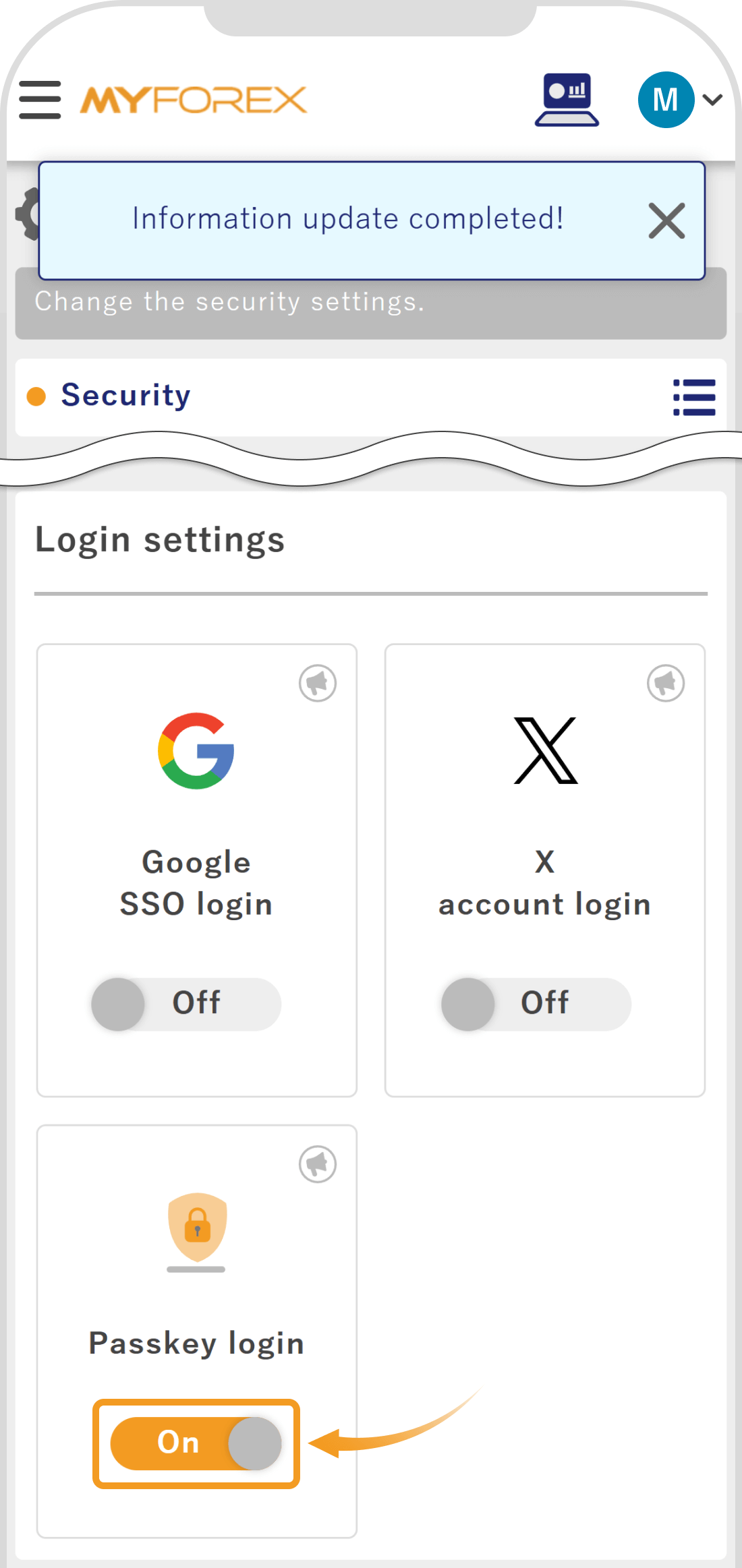
A message saying "Information update completed!" will appear at the top of the screen. If the toggle button on the left of "Login with passkey" in the login settings is set to "ON" and "Already set" is displayed on the right, the process is complete.
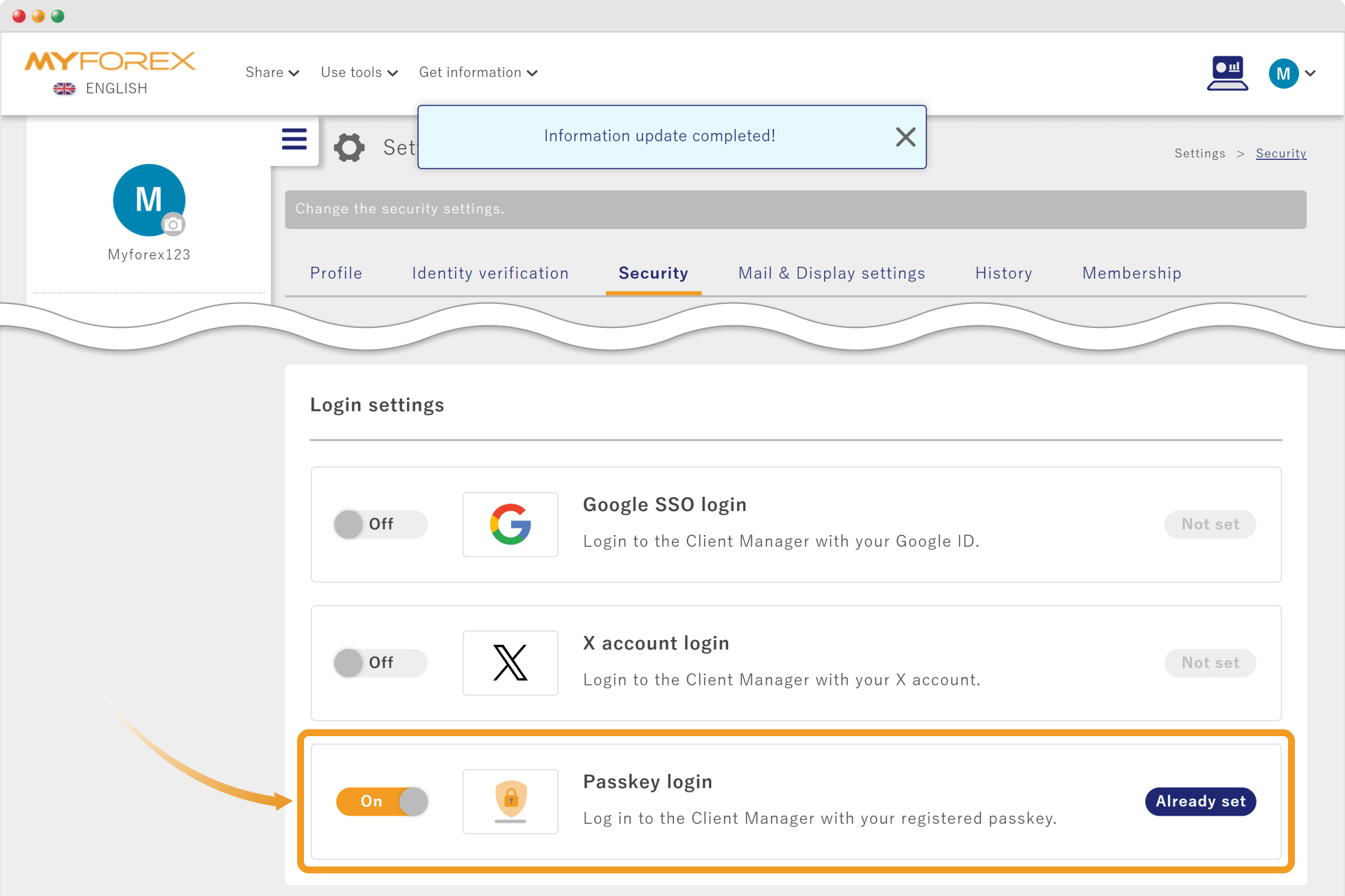
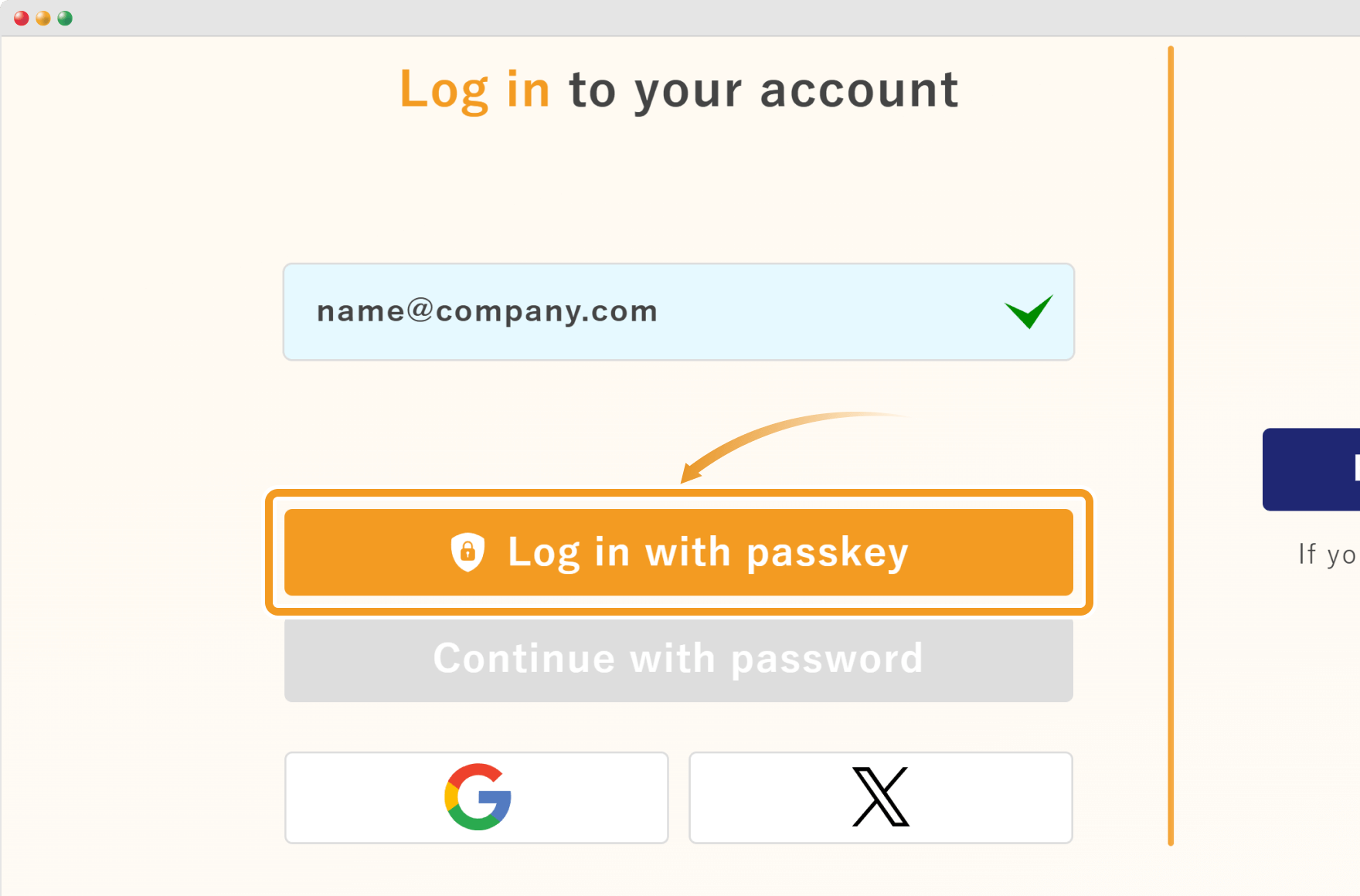
From the next time you log in, after entering your email address, you can click "Log in with passkey" on the login screen to log in to the Client Manager.
From the next time you log in, after entering your email address, you can tap "Log in with passkey" on the login screen to log in to the Client Manager.


Created
:2025.04.16

Last updated
:2026.09.08
That’s Great!
Thank you for your feedback
Sorry! We couldn't be helpful
Thank you for your feedback
Feedback sent
We appreciate your effort and will try to fix the article
We hope you find this article useful. Any comments or suggestions will be greatly appreciated.
We are also looking for writers with extensive experience in forex and crypto to join us.
Please contact us at support@myforex.com

Disclaimer:
All information and content provided on this website is provided for informational purposes only and is not intended to solicit any investment. Although all efforts are made in order to ensure that the information is correct, no guarantee is provided for the accuracy of any content on this website. Any decision made shall be the responsibility of the investor and Myforex does not take any responsibility whatsoever regarding the use of any information provided herein.
The copyright in our content belongs to us.
We welcome your use of our content within appropriate limits, including use through our sharing features, sharing on social media, and quotation. However, please refrain from unauthorized reuse, including but not limited to commercial use, reproduction with modification of content, or reproduction on websites that compete with us. We may take necessary measures, including but not limited to deletion of the relevant content, if we consider that the content has been used in an inappropriate or unauthorized manner.