

Created
:2025.10.31
You can update the profile information shown in your showcase—such as showcase name, description, links, and contact information—by selecting the showcase you wish to edit from the menu on the left. On the page that appears after selecting, you can edit all items related to how your profile is presented. Since your profile plays an important role in conveying your trading style and key characteristics, be sure to adjust the content according to your goals.
Please refer to the following article for an explanation of each editable item.
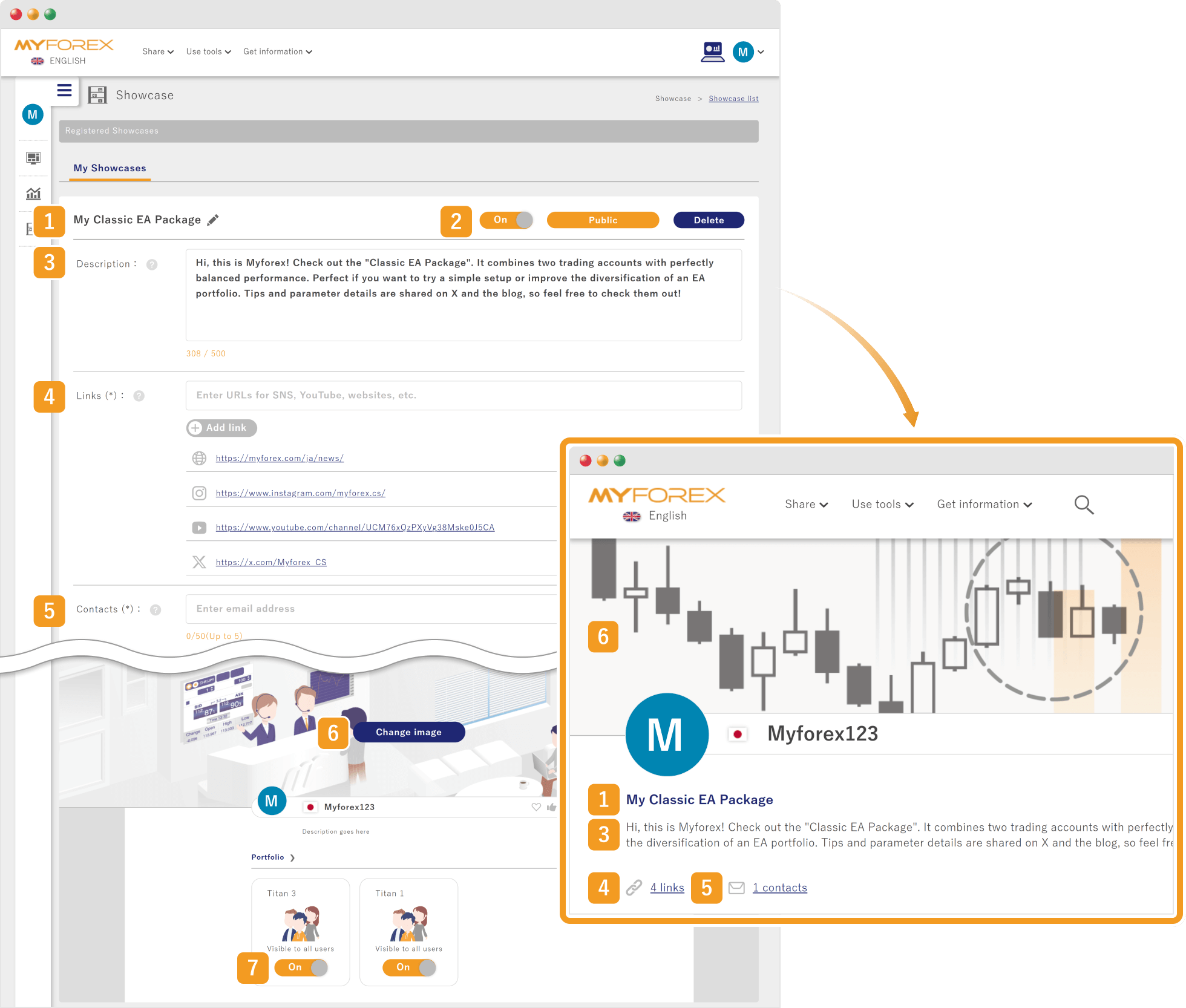

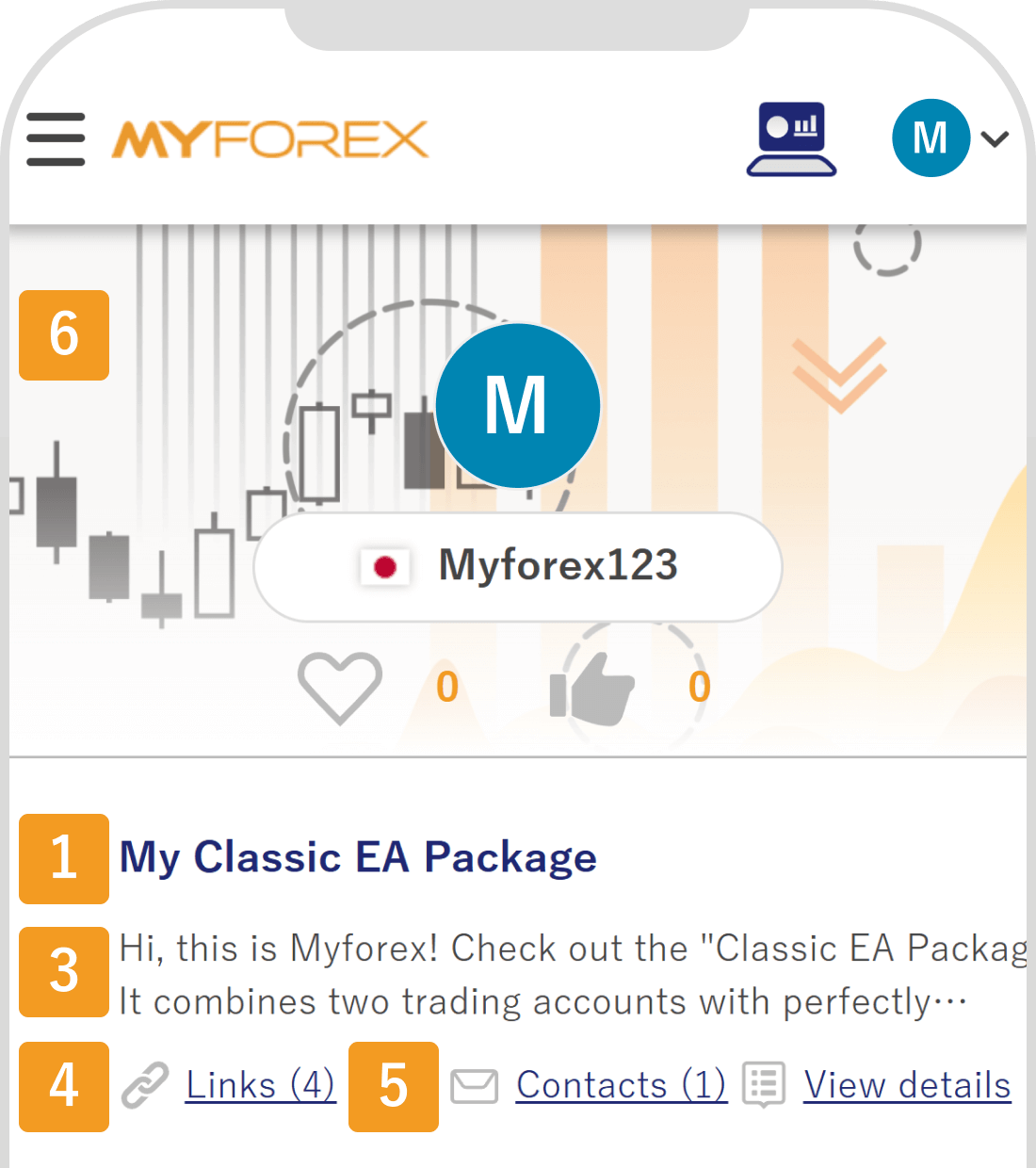
Number | Item | Description |
|---|---|---|
1 | Showcase name | Click the pencil icon to edit the name. You can change it to a clear and meaningful name that reflects the theme or focus of your showcase. |
2 | Publication settings | You can switch the entire showcase between public and private. "On" indicates that it is public, while "Off" means it is private. |
3 | Description | You can write a brief explanation of your showcase and its management policy (up to 500 characters). Your input is automatically saved when you click outside the text box. |
4 | Links | Add external links—such as social media accounts or websites—that you would like to display in your profile. Unnecessary links can be removed using the trash icon. |
5 | Contacts | You may register up to five email addresses for receiving inquiries. Any address you no longer need can be deleted with the trash icon. |
6 | Header image | You can change the image displayed at the top of your showcase. Select from a set of prepared images that match your trading style or desired atmosphere. |
7 | Display portfolio publication settings | For each portfolio displayed in the showcase, you can toggle visibility on or off. "On" indicates that the portfolio is public, and "Off" means it is hidden. |
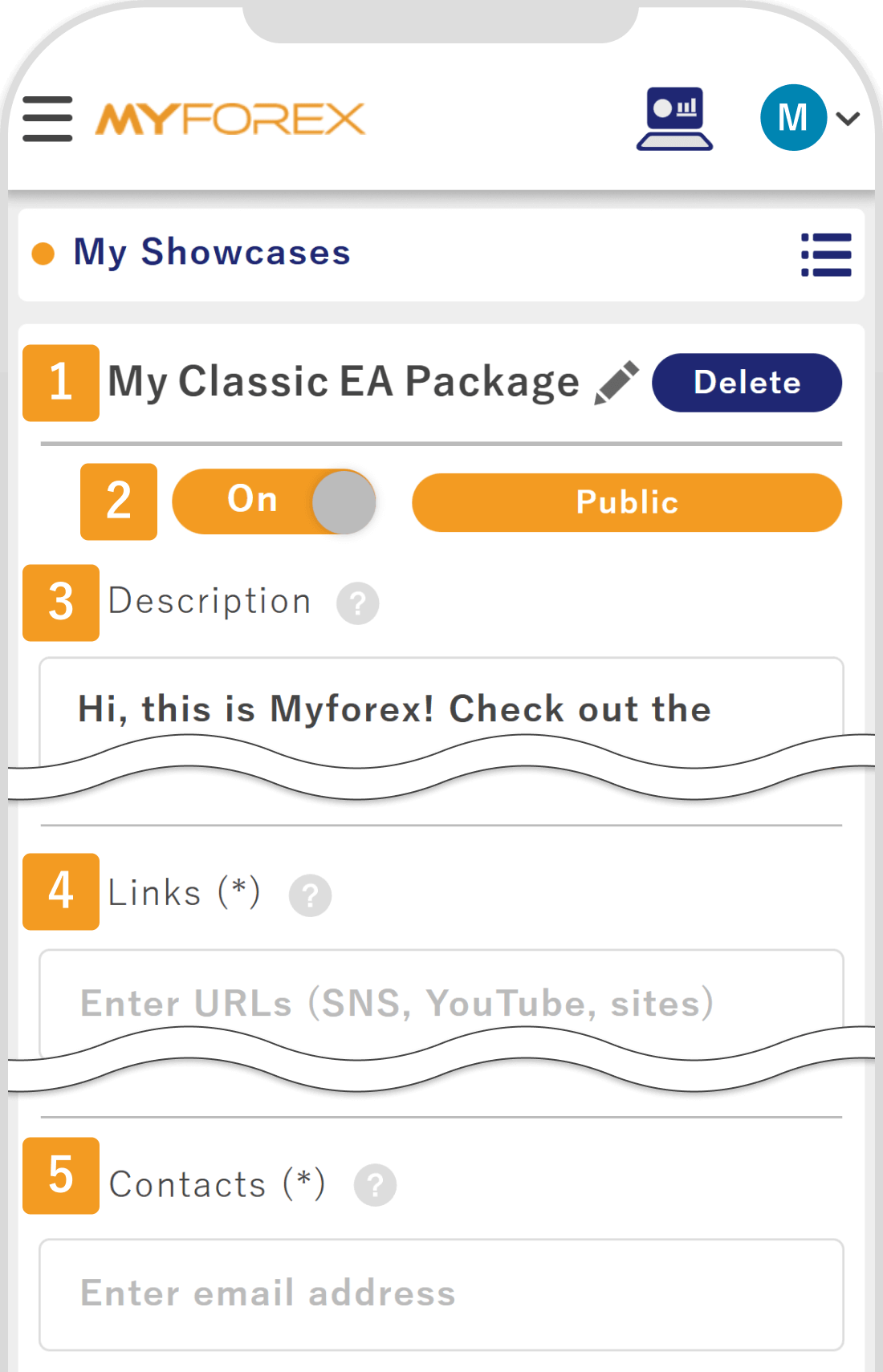
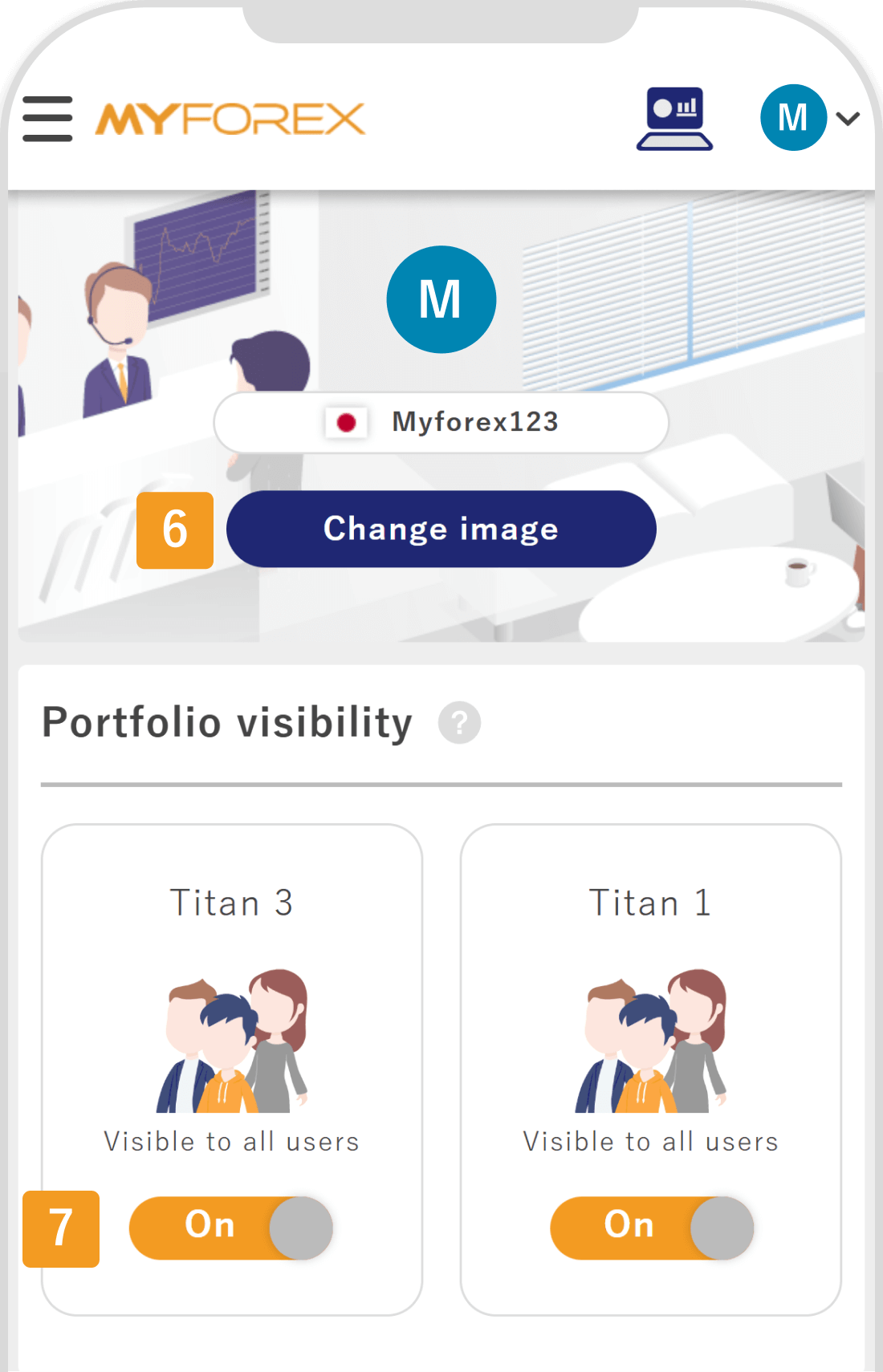
Number | Item | Description |
|---|---|---|
1 | Showcase name | Tap the pencil icon to edit the name. You can change it to a clear and meaningful name that reflects the theme or focus of your showcase. |
2 | Publication settings | You can switch the entire showcase between public and private. "On" indicates that it is public, while "Off" means it is private. |
3 | Description | You can write a brief explanation of your showcase and its management policy (up to 500 characters). Your input is automatically saved when you tap outside the text box. |
4 | Links | Add external links—such as social media accounts or websites—that you would like to display in your profile. Unnecessary links can be removed using the trash icon. |
5 | Contacts | You may register up to five email addresses for receiving inquiries. Any address you no longer need can be deleted with the trash icon. |
6 | Header image | You can change the image displayed at the top of your showcase. Select from a set of prepared images that match your trading style or desired atmosphere. |
7 | Display portfolio publication settings | For each portfolio displayed in the showcase, you can toggle visibility on or off. "On" indicates that the portfolio is public, and "Off" means it is hidden. |

Created
:2025.10.31

Last updated
:2026.01.30
That’s Great!
Thank you for your feedback
Sorry! We couldn't be helpful
Thank you for your feedback
Feedback sent
We appreciate your effort and will try to fix the article
We hope you find this article useful. Any comments or suggestions will be greatly appreciated.
We are also looking for writers with extensive experience in forex and crypto to join us.
Please contact us at support@myforex.com

Disclaimer:
All information and content provided on this website is provided for informational purposes only and is not intended to solicit any investment. Although all efforts are made in order to ensure that the information is correct, no guarantee is provided for the accuracy of any content on this website. Any decision made shall be the responsibility of the investor and Myforex does not take any responsibility whatsoever regarding the use of any information provided herein.
The copyright in our content belongs to us.
We welcome your use of our content within appropriate limits, including use through our sharing features, sharing on social media, and quotation. However, please refrain from unauthorized reuse, including but not limited to commercial use, reproduction with modification of content, or reproduction on websites that compete with us. We may take necessary measures, including but not limited to deletion of the relevant content, if we consider that the content has been used in an inappropriate or unauthorized manner.